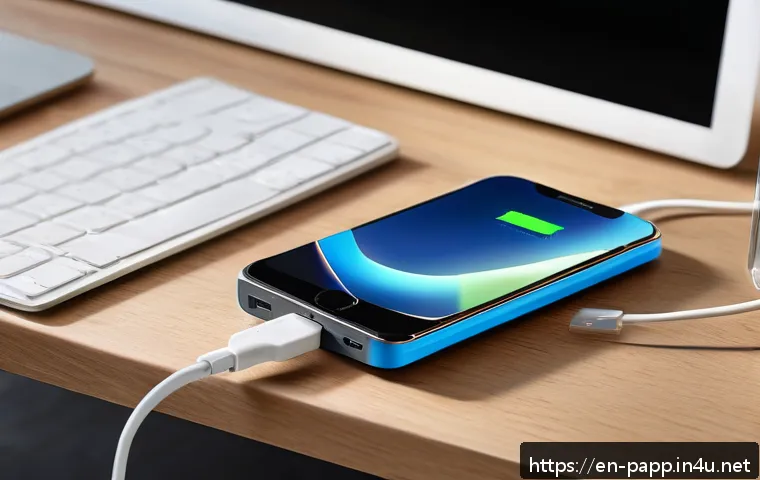
Calculate the portable battery capacity you need using your device’s watt-hours, expected runtime, and real-world conversion losses. Compare compact power banks and larger portable power stations by usable energy, ports, charging speed, and value.

A portable battery should be sized in usable watt-hours (Wh)
, not mAh alone. First estimate what your devices consume, then allow for conversion losses, shared ports, and extra time away from an outlet. A compact power bank can be practical for a phone, but remote work or multi-device charging may require higher USB-C output or a portable power station.
The best value is not always the largest listed capacity; it is the model that delivers the right energy, watts, ports, recharge time, and warranty for your use.
Compare the product details before buying, especially if you plan to charge a laptop or travel by air.
At a Glance
- Compare watt-hours, not mAh alone: Wh makes battery capacity easier to compare across different voltages.
- Plan for less than rated energy: voltage conversion, cables, heat, and charging behavior reduce usable output.
- Check output watts and ports: enough stored energy does not guarantee that a battery can charge your laptop or several devices at once.
| Device Situation | Energy Planning Basis | What to Compare Before Buying |
|---|---|---|
| Occasional phone charging | Your phone battery capacity in Wh and expected charging cycles | Usable Wh, pocket size, USB output, cable compatibility |
| Tablet or frequent travel use | Total device battery energy plus extra use while away | Multiple ports, recharge time, port sharing, total weight |
| USB-C laptop charging | Laptop battery Wh or average power draw × hours of use | USB-C Power Delivery support, maximum output watts, usable Wh |
| Multiple devices, car trips, or outages | Combined energy use of all devices and expected runtime | Portable power station capacity, AC output, charging inputs, warranty |
Start With the Energy Your Devices Actually Need
The simplest way to avoid overspending is to start with the devices you will actually charge. Do not begin with a large mAh number on a product box. Begin with your phone, tablet, laptop, camera, router, or other equipment and estimate the energy each one needs during the time you will be away from a wall outlet.
The Quick Formula for Estimating Required Watt-Hours
If you know a device battery size, use that value in watt-hours. If you know its average power draw instead, use this basic calculation:
Required energy in Wh = power draw in watts × hours of use
For example, a device using a known number of watts over several hours needs that power multiplied by the time used. This is especially helpful for laptops and small electronics whose battery label may not be easy to find.
Add a Realistic Buffer for Conversion Losses and Extra Use
A battery pack does not send every rated watt-hour into your device. Energy is lost through voltage conversion, the charging cable, and the device’s own charging process. Battery temperature, age, charging speed, and cable quality can also change results.
For that reason, treat your calculated device need as a starting point rather than a guarantee. Choose a portable charger with enough additional capacity for normal losses, unexpected use, and a partially charged device. If your trip or workday has little access to electricity, a larger reserve is usually more useful than relying on a perfect full-charge estimate.
A Fast Example for a Phone, Tablet, and Laptop
Make a short list of every device you expect to charge. Write down each battery capacity in Wh where available, or estimate energy use from watts multiplied by hours. Add those needs together, then select a power bank or portable power station with sufficient usable energy, not just impressive marketing capacity.
A phone-only user may prioritize portability. A traveler carrying a phone and tablet may need extra ports and more stored energy. A remote worker with a USB-C laptop must also confirm that the portable battery provides enough output watts to start and sustain laptop charging.
Why mAh Is Not Enough for Comparing Portable Batteries
Milliamp-hours are familiar, but they can be misleading when you compare products with different internal voltages or output systems. A listed mAh figure may describe internal battery cells, while your device receives power at a different USB voltage.
Converting mAh to Wh Without Mixing Voltages
The approximate conversion is:
Wh = mAh × voltage ÷ 1,000
Many power banks use lithium-ion or lithium-polymer cells with a nominal internal voltage near 3.6–3.7V. USB output may be 5V or higher. This difference is why comparing mAh labels without checking voltage can lead to the wrong conclusion.
When comparing portable charger capacity, look for a Wh rating in the specifications. If it is available, it is generally the clearer starting point for comparing stored energy between a compact power bank and a larger portable power station.
Rated Capacity Versus Usable Output Capacity
Rated capacity describes the battery energy under stated conditions. Usable output capacity is what your connected devices can realistically receive after conversion and charging losses. The two are not identical.
A listed mAh rating alone cannot tell you exactly how many full phone, tablet, or laptop charges you will get. Device behavior matters. A phone may continue using power while charging, a laptop may run demanding software, and different cables or charging standards can affect the final result.
How Output Voltage and Cable Losses Change Real Results
Higher-voltage USB-C charging, voltage conversion, cable transfer, and heat all influence delivered energy. A poor-quality or unsuitable cable can also limit charging performance. This matters most when choosing a battery for a tablet or laptop, where USB-C Power Delivery and cable capability can be as important as the capacity label.
When comparing products, check the stated output modes, supported USB-C PD profiles, maximum watts per port, and whether output drops when several ports are in use.
Compare Capacity, Output, and Value Before You Buy
Portable battery value is a balance of energy, output power, portability, and charging convenience. A low-cost power bank may be the sensible choice when you only need occasional phone charging. A higher-priced model can make more sense when it adds reliable laptop-capable USB-C output, faster recharging, better port selection, or a warranty that fits your needs.
Pocket Power Bank vs Laptop-Capable Battery vs Portable Power Station
A pocket power bank is usually the easiest option for phones and small accessories. Its advantages are size and convenience, but its capacity and output may be limited.
A laptop-capable USB-C battery is designed around more demanding USB-C charging. Check that its USB-C Power Delivery output has enough watts for your laptop, not merely enough stored Wh for one partial charge.
A portable power station may suit longer trips, several devices, or situations where AC outlets are needed. It can offer more energy and different output types, but it also adds bulk, weight, recharge considerations, and a higher total cost.
USB-C PD Wattage, AC Outlets, and Multi-Port Charging Limits
Output power is measured in watts. A battery may have plenty of stored energy but still charge a laptop slowly, inconsistently, or not at all if its USB-C output is insufficient. Look for USB-C Power Delivery support and compare the maximum wattage to your device’s charging requirements.

Also inspect port-sharing rules. Some batteries reduce the available wattage per port when two or more devices are connected. AC outlets can be useful for equipment that cannot charge over USB-C, but they add another conversion step and may not be necessary for simple phone or tablet use.
Price per Usable Wh and When Paying More Makes Sense
Price per usable Wh is a more useful value comparison than price per mAh. Because exact usable capacity depends on conditions, use the manufacturer’s Wh specification and output details as comparison points rather than assuming every rated unit of energy reaches your devices.
Paying more can be reasonable when the product provides the output watts you need, convenient ports, a recharge method that suits your schedule, a practical carrying size, and clear warranty terms. Do not pay for oversized capacity if your normal use is only brief phone charging.
Calculate Your Requirement Step by Step
A quick written calculation is enough for most buying decisions. It turns vague ideas such as “I need a big power bank” into a practical capacity and output target.
Find Your Device Battery Size or Average Power Draw
Check the device label, manual, or official specifications for battery watt-hours. If that is not available, use the average power draw in watts and multiply it by the expected hours of use. Keep phones, tablets, laptops, and other equipment on separate lines so you can see which device drives most of the energy requirement.
Estimate Daily Charging Cycles and Hours Away From an Outlet
Next, consider how often each device will need charging. A weekend trip, a full day of remote work, and an overnight power interruption create very different requirements. Include the time when a device will be actively used while connected to the battery, since that can increase energy demand.
Add a Reserve for Travel, Emergencies, and Battery Aging
Build in a reserve instead of selecting a battery that only works under ideal conditions. Cold or hot conditions, an aging battery, a damaged cable, and heavier-than-usual device use can reduce real-world results. For travel, remember that airline carry-on battery rules are generally based on Wh. Always verify current airline and route-specific requirements before flying.
Avoid the Most Common Capacity Planning Mistakes
Most disappointing portable battery purchases come from a mismatch between a product’s label and the buyer’s actual charging needs. A few checks can prevent that problem.
Assuming Every Rated mAh Reaches Your Device
Do not convert a listed mAh number directly into a guaranteed number of device recharges. Internal cell voltage differs from USB output voltage, and energy is lost through conversion and charging. Use Wh for comparison and leave room for real-world losses.
Buying Enough Energy but Not Enough Output Power
A high-capacity battery with low USB-C output may still be a poor fit for a laptop. Before purchasing, compare your device’s charging needs with the battery’s maximum output watts, supported charging standard, and multi-port limitations.
Overlooking Recharge Time, Weight, Heat, and Airline Restrictions
A larger battery takes more space and may take longer to recharge. Consider whether you can conveniently recharge it between uses. Check its weight if you will carry it daily, and avoid treating it as a sealed black box: heat, cable condition, and storage conditions can influence battery performance. Air travel rules and warranty conditions should be verified directly with the airline and seller before you rely on a specific model.
Selection Criteria and Comparison Summary
Choose by usable Wh, output watts, recharge time, and total cost—not mAh alone. For occasional phone charging, prioritize a compact size, compatible USB output, and enough practical energy for your expected charging cycles. For remote work, prioritize USB-C PD support, laptop-appropriate wattage, port sharing behavior, and a recharge schedule that works between workdays. For outages, car trips, or several devices, compare a portable power station’s usable energy, output types, AC needs, carrying weight, and warranty terms.
Before ordering, compare the product page for the listed Wh, maximum watts by port, simultaneous charging limits, recharge inputs, included accessories, and warranty details.
In Closing
The right portable battery is not automatically the one with the largest mAh label. Calculate the energy your devices need, allow for conversion losses, and then confirm that the battery can deliver enough watts through the ports you actually use. A small power bank can be a smart, affordable choice for simple charging. A higher-output battery or portable power station becomes more practical when laptop charging, multiple devices, or longer time away from power is involved.
Useful Things to Know
1. Wh is usually the clearer capacity comparison unit because it includes voltage.
2. USB-C Power Delivery matters for many tablets and laptops.
3. A battery’s total output may be shared across connected ports.
4. Airline battery limits are generally expressed in Wh, not mAh.
5. Actual delivered capacity can vary with temperature, cables, battery age, and device use.
Important Notes
Capacity labels and real-world output are not identical. Exact usable energy, recharge counts, product pricing, included cables, warranty coverage, and airline requirements vary by model, seller, region, and conditions of use. Review the current manufacturer specifications, seller terms, and airline rules before making a purchase or packing a battery for a flight.
Frequently Asked Questions
Q1. How many mAh do I need to charge my phone for a weekend trip?
A1. Start with your phone battery capacity in Wh, estimate how many charging cycles you expect over the weekend, and add room for conversion losses. The mAh label alone is not enough because internal battery voltage and usable output vary. A compact power bank may be sufficient for light phone use, while frequent navigation, streaming, or hotspot use can increase your energy needs.
Q2. Is a 20,000mAh power bank enough for a laptop, or do I need a portable power station?
A2. It depends on the power bank’s Wh rating, its USB-C Power Delivery capability, maximum output watts, your laptop’s battery size, and how you use the laptop while charging. A battery can have meaningful stored energy but still be unsuitable if it cannot provide enough USB-C output. A portable power station may be more appropriate when you need longer runtime, AC power, or multiple devices.
Q3. What should I compare besides capacity when choosing a portable battery?
A3. Compare usable Wh expectations, USB-C PD support, maximum output watts, port sharing rules, recharge time, physical size, weight, cable compatibility, warranty terms, and total cost. If you travel by air, also verify the current Wh-based rules for your airline and route.