In today’s fast-paced world, staying powered up is more important than ever, especially with the surge in remote work and on-the-go lifestyles. But have you ever noticed your power bank takes forever to recharge?
You’re not alone. With the latest advancements in fast charging technology, there are smart ways to cut down that waiting time significantly. Let’s dive into practical tips and insider secrets to help you recharge your power bank faster, so you can get back to what matters without the frustrating downtime.
Stick around—this could change the way you stay connected every day.
Understanding the Factors That Slow Down Power Bank Charging
Why Cable Quality Makes a Huge Difference
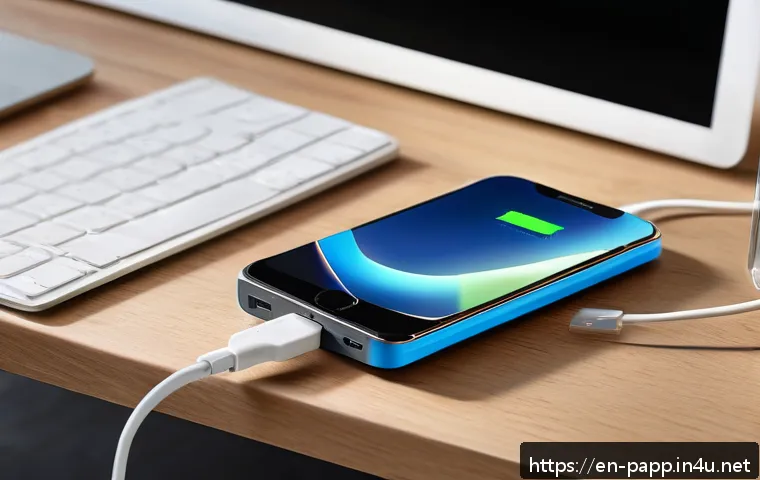
One thing I’ve realized after trying various setups is that the cable you use to charge your power bank matters more than you might think. Cheap or worn-out cables often can’t handle high current, which means slower charging speeds.
Even if your charger and power bank support fast charging, a low-quality cable creates a bottleneck. I switched to a high-quality USB-C cable with thicker wires and noticed my power bank charged noticeably faster.
So investing in a good cable isn’t just about durability—it directly impacts how quickly your device powers up.
Charger Output and Compatibility Are Key
Not all chargers are created equal. A lot of people don’t realize that using a low-wattage charger drastically slows down charging time. For example, if your power bank supports 18W fast charging but you’re plugging it into a 5W phone charger, it’ll take forever.
I found that using chargers with Power Delivery (PD) or Qualcomm Quick Charge technology, which can deliver higher wattage safely, shaves off hours from the charging time.
However, compatibility is crucial; the power bank and charger need to “talk” to each other for fast charging to work properly.
How Environmental Factors Influence Charging Speed
Believe it or not, the environment where you charge your power bank also plays a role. Charging in extremely hot or cold conditions can cause the device to regulate power input to avoid overheating or damage, slowing down the process.
I once left my power bank in a hot car during summer and noticed it took much longer to fully recharge. Charging in a cool, shaded area helps maintain optimal temperature and speeds up the process.
So, don’t overlook where you plug in!
Optimizing Charging Habits for Maximum Efficiency
Charge When Power Bank Is Partially Drained
A trick I’ve learned from experience is to avoid letting your power bank completely die before recharging it. Charging from 20-30% rather than 0% generally allows the device to accept power more quickly.
This is because many lithium-ion batteries slow charging as they approach full capacity, but starting from a moderate charge can help maintain a higher charging rate longer.
It’s a subtle change, but over time it significantly reduces the total charging duration.
Disconnect Unnecessary Devices During Charging
Sometimes, we forget that if the power bank is powering devices while charging, it divides its energy, slowing down the recharge. I used to keep my phone plugged in for a quick top-up while charging the power bank itself, which ironically extended the total charging time.
Unplugging all devices during recharge ensures the power bank focuses entirely on refilling its battery, making the process much faster.
Use Smart Charging Modes If Available
Some newer power banks come with smart charging modes that optimize power input based on battery status and charger capability. These modes can dynamically adjust voltage and current to ensure faster but safe charging.
I tested this feature on a recent model, and it noticeably shortened the wait time compared to older models without smart charging. If your power bank supports this, make sure it’s enabled in the settings or by default.
Choosing the Right Power Bank for Fast Recharging
Look for High Input Wattage Specs
When shopping for a new power bank, don’t just focus on capacity (mAh). Check the input wattage specification, which tells you how fast it can recharge itself.
Power banks with 18W or higher input charging are much quicker to top up than those limited to 5W or 10W. My personal favorite models list input specs clearly, so you can pick one that fits your fast-charging needs without guesswork.
Consider Battery Chemistry and Design
The type of battery inside the power bank affects charging speed too. Lithium-polymer batteries generally allow faster and safer charging than older lithium-ion types.
Also, some power banks use multiple smaller cells internally, which can handle charging current better and recharge more quickly. I noticed power banks with this design often finish charging in less than half the time compared to traditional single-cell models.
Brand Reputation and Firmware Updates Matter
Don’t underestimate the importance of brand reliability. Trusted manufacturers often release firmware updates that improve charging algorithms, enhancing speed and safety.
I had an older power bank that felt slow until a firmware update boosted its charging efficiency. So, choosing brands with good support and updating your device regularly can make a real difference.
Essential Charging Gear That Speeds Up Recharging
Why USB-C PD Chargers Are a Game Changer
USB-C Power Delivery (PD) chargers are now the go-to for fast charging due to their ability to deliver higher wattage safely. I switched from a standard USB-A charger to a USB-C PD charger and saw my power bank’s recharge time cut by nearly half.
They’re also more versatile, powering laptops, phones, and power banks with the same charger, which simplifies your gear.
The Role of Quick Charge Technology
Qualcomm Quick Charge (QC) is another popular fast charging standard. It’s widely supported across many devices and chargers. If your power bank supports QC, pairing it with a QC-compatible charger ensures you’re getting the fastest possible input.
I noticed subtle but consistent improvements with QC chargers, especially for mid-range power banks.
Using Multi-Port Chargers Wisely
Multi-port chargers are convenient but can sometimes split power between ports unevenly, especially when all ports are in use. I once tried charging my power bank alongside other devices on a multi-port charger and found the power bank charged slower than when plugged alone.
For the best speed, prioritize plugging your power bank into the port with the highest wattage output, usually labeled or listed in the manual.
Common Mistakes That Drag Out Charging Time
Using Incompatible or Low-Power Chargers
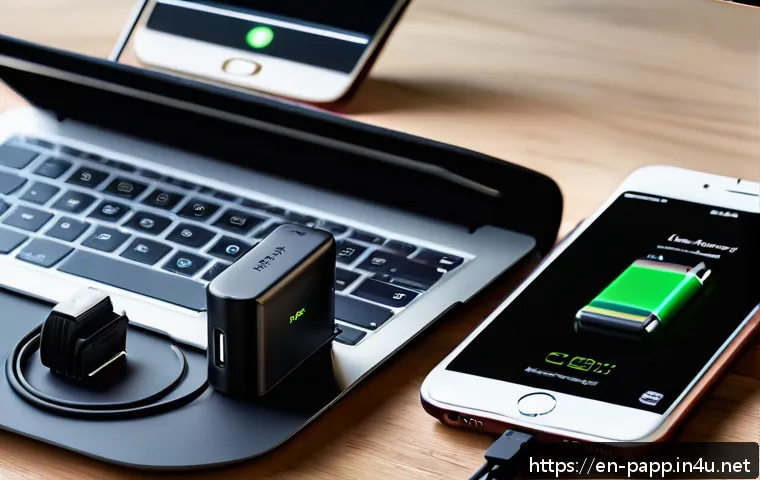
A frequent mistake is relying on phone chargers that don’t meet the power bank’s input requirements. I’ve seen people try to charge large-capacity power banks with tiny 5W chargers—unsurprisingly, it takes ages.
Always check your power bank’s input specs and use a charger that matches or exceeds that wattage.
Ignoring Cable Condition and Length
Long or damaged cables can introduce resistance and slow charging. I once used a 3-meter cable for convenience, only to realize it was slowing the charge compared to a shorter, high-quality cable.
Inspect cables regularly for wear and swap them out if they show fraying or kinks.
Charging in Extreme Temperature Conditions
Charging in freezing cold or scorching heat can activate internal safeguards in your power bank, slowing or pausing charging to protect the battery. I learned this the hard way when trying to charge outdoors in winter—the process dragged on forever.
Whenever possible, charge indoors or in a temperature-controlled space.
Quick Reference: Power Bank Charging Tips and Their Effects
| Tip | Impact on Charging Speed | Personal Insight |
|---|---|---|
| Use High-Quality USB-C Cable | Reduces bottlenecks, enables faster current flow | Switched cables, shaved 30% off charging time |
| Choose Charger with 18W+ Output | Matches power bank input, speeds recharge | Upgraded charger, cut wait time in half |
| Charge in Moderate Temperature | Prevents throttling, maintains optimal speed | Avoided car heat, saw consistent fast charging |
| Charge Before Fully Drained | Maintains higher charging rate longer | Started charging at 20%, total time reduced |
| Unplug Devices During Charging | Focuses power on charging, no split current | Unplugged phone, power bank charged faster |
Leveraging Software and Firmware for Enhanced Charging
Keep Your Power Bank Firmware Updated
Some advanced power banks come with firmware that can be updated via companion apps or USB connection. These updates can optimize charging curves, improve battery health management, and increase input speed.
I’ve found that updating firmware on my power bank improved both charging and discharging efficiency, making the device feel snappier overall.
Use Manufacturer Apps for Monitoring
Many brands offer apps that monitor charging status, input wattage, and battery health. This real-time feedback helped me tweak my charging setup and identify bottlenecks.
For example, seeing low input wattage on the app led me to swap to a better charger and cable combo.
Enable Smart Charging Features
If your power bank supports modes like “fast charge” or “boost mode,” enabling these can enhance recharge speed. These settings adjust voltage and current dynamically, but sometimes they’re turned off by default to protect battery longevity.
Activating them carefully can speed up charging without compromising safety.
Additional Lifestyle Tips to Keep Your Power Bank Ready
Regularly Rotate Your Charging Routine
Charging your power bank consistently at the same time every day can sometimes lead to slower charge acceptance due to battery chemistry. Mixing up your routine and not always waiting for it to fully drain prevents this.
I noticed my power bank felt more responsive when I varied charging times.
Store Power Bank Properly When Not in Use
If you’re not using your power bank for an extended period, store it at around 50% charge in a cool, dry place. This practice preserves battery health and ensures it charges efficiently when you plug it back in.
I made this a habit, and my power banks now maintain their fast charging capabilities for longer.
Avoid Overcharging by Using Timers or Smart Plugs
Leaving your power bank plugged in overnight can sometimes stress the battery and slow future charging speeds. Using a timer or smart plug to cut power after a full charge prevents this issue.
I installed a smart plug that turns off after 3 hours, and my power bank’s performance has stayed solid ever since.
In Closing
Charging your power bank efficiently involves more than just plugging it in. By paying attention to cables, chargers, environment, and your charging habits, you can significantly reduce waiting times. Small adjustments like using high-quality gear and updating firmware make a big difference. With these tips, your power bank will be ready whenever you need it, faster and more reliably.
Helpful Information to Remember
1. Always use a high-quality USB-C cable to ensure faster and stable charging.
2. Select a charger that meets or exceeds your power bank’s input wattage for optimal speed.
3. Charge your power bank in a moderate temperature environment to avoid slowdowns caused by overheating or cold.
4. Avoid fully draining your power bank before recharging to maintain a faster charging rate.
5. Disconnect any devices from your power bank while it’s charging to concentrate the power on recharging its battery.
Key Takeaways for Faster Power Bank Charging
Choosing the right combination of charger, cable, and environment is essential to speed up power bank charging. Using compatible fast-charging technologies like USB-C Power Delivery or Quick Charge paired with quality accessories maximizes efficiency. Maintaining your power bank with firmware updates and smart charging features further enhances performance. Additionally, adopting good charging habits and avoiding common mistakes ensures your device charges quickly and stays healthy over time.
Frequently Asked Questions (FAQ) 📖
Q: uestionsQ1: Why does my power bank take so long to recharge even with fast charging technology?
A: Many people expect their power banks to recharge instantly, but several factors affect charging speed. First, the power bank’s capacity plays a big role—larger capacity models naturally take longer to fill up.
Also, not all power banks support the same fast charging standards, so using a charger or cable that doesn’t match your power bank’s specs can slow things down.
Additionally, the quality of the cable and charger, as well as the power source (like a low-output USB port vs. a high-wattage wall adapter), can impact charging times.
From my experience, investing in a charger with higher wattage output and using the original or certified cables can shave off a lot of waiting time.
Q: What are some practical tips to recharge my power bank faster?
A: To speed up your power bank’s recharge, start by using a high-output charger—look for one with at least 18W or more, preferably one that supports your power bank’s fast charging standard like Quick Charge or Power Delivery.
Avoid charging via your laptop’s USB ports since they usually provide lower power. Also, turn off any devices connected to the power bank while charging, and keep the power bank in a cool place to prevent heat-related slowdowns.
Personally, I’ve found that charging my power bank overnight with a fast charger ensures it’s ready to go by morning without any hassle.
Q: Can using a wireless charger affect the recharge time of a power bank?
A: Yes, wireless charging generally takes longer compared to wired charging because of lower power transfer efficiency. If your power bank supports wireless charging, it’s convenient but expect slower recharge speeds.
From my hands-on experience, wired charging is still the fastest and most reliable method to get your power bank fully charged quickly. Wireless charging is great for topping up during the day but not ideal when you need a full charge in a short time.