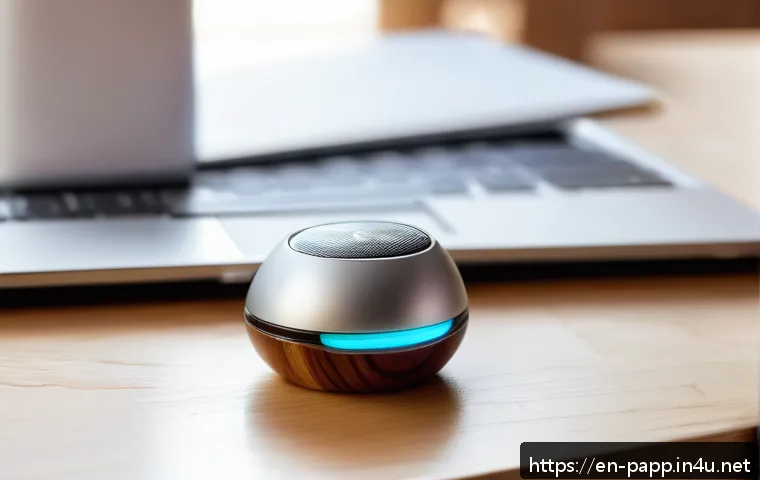
The most reliable way to connect smart home devices is to choose one main control platform, confirm both platform and wireless compatibility, then add and test one device category at a time.
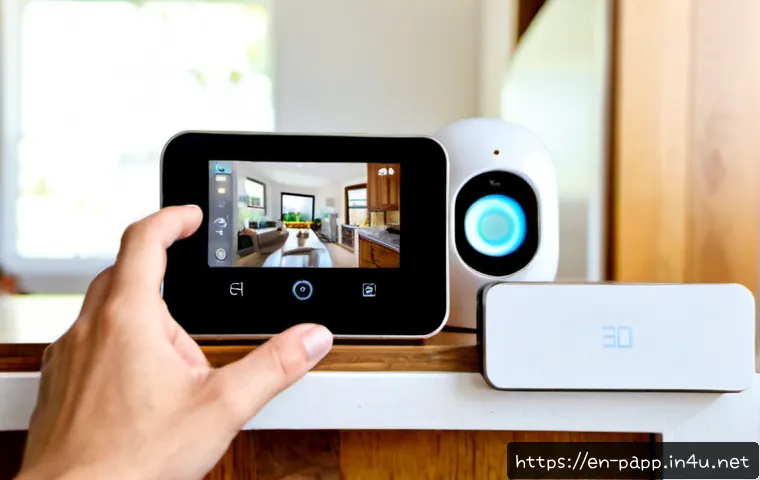
Start with simple devices such as lights, plugs, or sensors before adding cameras, locks, or video doorbells. This approach helps homeowners and renters avoid incompatible purchases, confusing duplicate apps, and preventable Wi-Fi setup issues.
A hub is not always necessary, but it can be useful when you want broader device support, more dependable automation, or a larger connected-home system.
Before comparing device bundles or paid installation services, check which features need a subscription and whether your existing router, speaker, or display can serve as a required control point.
At a Glance
- Choose one primary platform before purchasing devices, then verify each product supports it.
- Check the protocol separately: Wi-Fi, Bluetooth, Thread, Zigbee, Z-Wave, and bridges do not mean the same thing as platform support.
- Connect in stages: set up simple devices first, test controls, and add security products only after the network is stable.
| Setup Type | Best For | Main Trade-Off | Potential Ongoing Costs |
|---|---|---|---|
| Hub-free Wi-Fi devices | Small setups with a few lights, plugs, or appliances | Can depend heavily on Wi-Fi coverage and manufacturer apps | Possible cloud storage or alert subscriptions |
| Hub-based system | Homes using multiple sensors, locks, or mixed protocols | Requires checking hub, bridge, and platform compatibility | Possible subscription features, depending on devices |
| Matter-capable setup | Buyers who want broader ecosystem flexibility | Available features may still vary by device and platform | Depends on the connected products and services |
The Simplest Reliable Way to Build a Connected Home
The simplest path is to build around one main control platform, not around a random collection of discounted devices. A smart speaker, smart display, mobile app, or dedicated smart home hub may become the central control point, depending on the ecosystem and device type. Choosing this first makes later device comparisons much easier.
Pick One Main Control Platform Before Adding Devices
Look at the platforms supported on the product listing and packaging before you buy. Apple Home, Alexa, Google Home, and a manufacturer’s own app can offer different controls. A device can use a compatible wireless protocol but still lack support for your preferred platform. Check both items separately.
Start With Lighting, Plugs, or Sensors Before Security Devices
Smart lighting, plugs, and basic sensors are useful low-risk starting points. They let you test app setup, Wi-Fi strength, room naming, and voice control before you rely on cameras, smart locks, or video doorbells. This order can reveal network problems without making home access or security management more complicated.
Test Voice Control, App Control, and Automations After Each Addition
After adding a device, test it from the manufacturer app and your primary smart home platform. Then test a simple automation, such as turning on a light with a sensor or grouping several lights in one room. If control is inconsistent now, adding more devices will usually make troubleshooting harder.
Check Compatibility Before You Buy Anything
A product is only a good smart home purchase if it fits your intended platform, wireless setup, and feature expectations. Do not assume a label such as “smart,” “wireless,” or “Matter” answers every compatibility question.
Platform Support: Apple Home, Alexa, Google Home, and Manufacturer Apps
Confirm that the device explicitly supports the platform you plan to use. Manufacturer apps may provide setup or product-specific options, while third-party platforms may offer central control. Not every feature is guaranteed to appear in every platform, so check what controls and integrations are available before making a larger device bundle purchase.
Wi-Fi, Bluetooth, Thread, Zigbee, Z-Wave, and Bridges Explained
Smart home devices may connect through Wi-Fi, Bluetooth, Thread, Zigbee, Z-Wave, or a manufacturer-specific bridge. These methods affect how the device joins your home system. A bridge or dedicated hub may be required for some products, while others connect directly to Wi-Fi. Verify whether your existing speaker, display, router, or hub can fulfill a required hub or border-router role for that specific device.
What Matter Compatibility Does—and Does Not—Solve
Matter is designed to improve interoperability among supported devices and ecosystems. It can be a useful buying criterion when you want flexibility for future expansion. However, Matter support does not automatically mean every feature will work everywhere. Review the device’s supported features in the platform you intend to use.
Hub-Free vs Hub-Based Setups: Value, Cost, and Reliability
The right setup depends on your home size, device count, and how much you value centralized control. A hub-free setup can be practical, while a hub-based system may be a better fit for more connected devices and protocols.
When Direct Wi-Fi Devices Are Enough
Direct Wi-Fi devices can suit a smaller setup where you want straightforward app control for a limited number of products. They are often easy to understand because each device joins the home network directly. The key consideration is reliable Wi-Fi coverage where each device will be installed.
When a Dedicated Hub or Border Router Can Improve Reliability
Consider a dedicated hub or border router when your planned products use protocols such as Thread, Zigbee, or Z-Wave, or when you want a more organized multi-device system. A hub can also reduce the need to manage separate device connections in some setups. Confirm compatibility before purchase rather than assuming any hub supports every brand or protocol.
Subscription Features, Cloud Storage, and Total Ownership Cost
Cameras, video doorbells, and cloud-recording services may require subscriptions for some storage or alert features. Compare the hardware decision with the service decision. A lower upfront device cost may not show the complete ownership picture if the features you want depend on an ongoing plan. Review current subscription terms, bundle details, and supported features on the relevant product page.
Connect Devices Step by Step Without Creating Network Problems
A careful setup sequence is usually faster than trying to connect every purchase in one session. Prepare accounts and network settings first, then add one category at a time.
Prepare Your Router, Phone, App Accounts, and Permissions
Install available router security updates, use strong account passwords, and enable multi-factor authentication where it is available. Many Wi-Fi smart devices require a 2.4 GHz network during setup, even when the router also offers 5 GHz or 6 GHz bands. Check app permissions as well, because setup may depend on permissions needed to discover or control devices.
Add Devices in the Right Sequence

Set up the primary control point first, followed by simple lights, plugs, or sensors. Add hubs, bridges, cameras, locks, and doorbells after your basic controls work consistently. This makes it easier to identify whether a problem comes from the network, account, platform, or individual product.
Create Rooms, Names, Groups, and Simple Automations
Use clear names that describe location and purpose, such as “Kitchen Counter Light” rather than vague labels. Put devices into rooms and groups as you add them. Begin with one simple automation, then add more only after confirming that existing rules do not conflict.
Confirm Remote Access and Household-Member Permissions
Test access from the primary app and confirm that household members have only the permissions they need. Review shared access especially for cameras and locks. Clear account management is part of a reliable smart home setup, not an optional finishing step.
Avoid Common Setup and Security Mistakes
Most smart home frustration comes from a few repeat problems: weak signal placement, unclear names, conflicting automation rules, and poorly protected accounts.
Fix 2.4 GHz Pairing Issues and Weak-Signal Placement
If a device will not pair, confirm whether it requires 2.4 GHz during setup. Also consider where the device is installed. Products located far from reliable coverage may not perform as expected. Improve placement or evaluate a home network upgrade before expanding the system.
Avoid Duplicate Apps, Conflicting Automations, and Unclear Device Names
Keep one primary platform for everyday control where possible. Manufacturer apps may still be necessary for setup or specific features, but avoid creating duplicate automations in multiple places. Give every device a distinct name so voice commands and household support remain simple.
Protect Cameras, Locks, and Household Accounts
Use strong, unique passwords and multi-factor authentication when available. Keep router security updates current. Before installing a camera or lock, review how sharing, remote access, recordings, and alerts work in the device’s app and your chosen platform.
Selection Criteria and Comparison Summary
Choose a hub if your planned devices use different protocols, require a bridge, or you want a more centralized system for a growing home. Choose hub-free Wi-Fi devices if you want a smaller setup and have dependable coverage where devices will be used. Consider a mesh Wi-Fi upgrade if connection quality is weak in the areas where cameras, doorbells, sensors, or plugs will be placed. Consider professional setup if you are combining multiple device types, need help assessing network coverage, or want assistance configuring accounts and household access. Before comparing a smart home bundle, verify platform support, protocol, hub requirements, subscription-dependent features, and installation conditions. For current compatibility details and service terms, check the relevant product or installation page.
In Closing
A connected home works best when it is planned as a system rather than assembled one device at a time without compatibility checks. Start with a primary platform, reliable network access, and a few simple devices. Expand only after each category works as expected. This keeps future smart home device comparisons focused on the features that actually matter in your home.
Useful Things to Know
Platform support and wireless protocol are separate checks. A device may connect through Wi-Fi, Thread, Zigbee, or another method while offering different platform options.
Subscription features can affect value. Review storage and alert features before choosing cameras or video doorbells.
Existing equipment may or may not be enough. Confirm whether your router, speaker, display, or hub supports the role required by a specific product.
Important Considerations
Compatibility, available features, subscription terms, installation fees, and bundle pricing can vary by device, retailer, region, provider, and promotion. Matter can improve interoperability for supported products, but it does not guarantee identical features across every platform. Long-term software support also needs to be checked for each individual product.
Frequently Asked Questions
Q1. Do I need a hub to connect smart home devices?
A1. Not always. Many Wi-Fi devices connect directly through an app and compatible platform. Choose a hub when your devices require one, use hub-oriented protocols, or when you want a more centralized setup for a growing number of products.
Q2. Is Matter enough to make all smart home products work together?
A2. Matter is designed to improve interoperability among supported devices and ecosystems. However, supported features can vary by product and platform, so confirm the controls you need before buying.
Q3. Is it worth paying for professional smart home installation or better home Wi-Fi?
A3. Consider better home Wi-Fi when device locations have weak coverage or pairing problems. Consider professional installation when you are planning several device categories, need help with network and account setup, or prefer assistance confirming compatibility before installation.