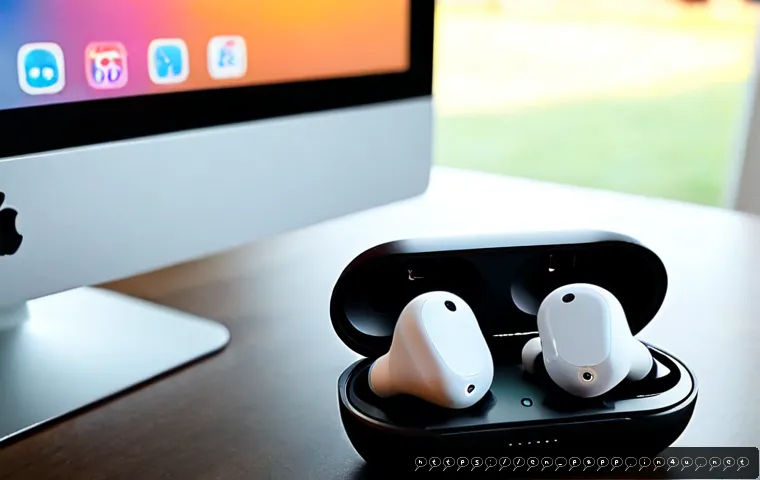
Smart earbuds are worth paying more for when their advanced features solve a daily problem, such as loud commuting, frequent work calls, or switching between devices.

For many buyers, a secure fit, reliable battery behavior, and phone compatibility matter more than AI tools or headline features. Commuters should prioritize active noise cancellation and transparency mode.
Remote workers should focus on microphone performance, call controls, and multipoint pairing. Fitness users should check fit and the stated water- or sweat-resistance rating before paying extra for software features.
Compare the full ownership picture, including app requirements, warranty coverage, and replacement-bud costs, rather than judging a pair by wireless earbud price alone.
At a Glance
- Commuters: Prioritize ANC, transparency mode, and a fit that stays comfortable through longer listening sessions.
- Remote workers: Put microphone quality, call controls, and multipoint pairing ahead of novelty features.
- Fitness users: Check fit and the stated sweat- or water-resistance rating before paying for premium software tools.
| Feature | Best For | What to Check Before Paying More | Typical Price Impact |
|---|---|---|---|
| Active noise cancellation | Commuting, travel, shared spaces | Comfort, ANC settings, and real-world fit | Often found in mid-range and premium tiers |
| Microphone and call controls | Remote work and frequent calls | Model-specific call clarity and control layout | Can justify a higher tier for call-heavy users |
| Battery and charging case | Long days away from a charger | Whether ANC, calls, codec use, and volume reduce runtime | Compare usage conditions, not one headline claim |
| Multipoint pairing | Phone and laptop users | Supported devices and ecosystem limitations | Commonly positioned as a premium convenience feature |
| AI, translation, and assistant tools | Buyers with a specific use case | App, internet, compatible phone, country, and subscription needs | May add ongoing cost beyond the initial purchase |
| Water or sweat resistance | Gym and outdoor activity | The exact rating and care instructions | Useful, but not universal water protection |
What Smart Earbuds Actually Add Beyond Basic Wireless Listening
Smart earbuds add software and controls on top of basic Bluetooth listening. Common upgrades include active noise cancellation, ambient listening, voice-assistant access, device switching, head tracking, app-based sound controls, and sometimes translation or hearing-related tools. The useful upgrade is the one that reduces friction in your routine, not simply the longest feature list.
Three Quick Takeaways Before Comparing Models
First, choose the environment you need to handle: a train, a busy office, a quiet desk, or a gym. Second, treat fit as a major performance factor because it can affect comfort, perceived sound, call use, and how well noise reduction feels. Third, confirm that the features you want work with your phone, computer, operating system, and region.
Core Functions Versus Premium Software-Enabled Features
Bluetooth connection, touch or button controls, and a charging case are basic wireless functions. ANC uses microphones and audio processing to reduce parts of surrounding sound, while transparency mode is designed to let outside sound pass through for better awareness. These can be practical everyday tools.
Features such as head tracking, AI voice commands, live translation, and advanced device switching may be more dependent on an app or a particular device ecosystem. They can be worthwhile, but only if you will actually use them. A premium feature is less valuable when it needs a compatible phone, an internet connection, or a paid service you do not plan to maintain.
Why Fit and Phone Compatibility Affect the Experience
A promising specification does not guarantee the same experience for every buyer. Comfort, sound quality, microphone clarity, and noise reduction can vary by model and fit. Before making a wireless earbud price comparison, check the available ear tip options, return conditions, and whether the earbuds support the devices you use most.
Feature Comparison Table: ANC, Calls, Battery, AI, and Connectivity
The best comparison starts with daily use rather than brand positioning. A commuter may value noise control more than multipoint pairing, while a hybrid worker may make the opposite choice. Look at each feature in context.
Features That Matter Most for Daily Listening
ANC is useful when external sound regularly distracts you. Transparency mode can be useful when you need awareness without removing the earbuds. For people moving between a phone and computer, multipoint pairing can reduce reconnection steps, but compatibility should be checked carefully.
Battery claims need a closer look. Runtime can change with volume, calls, ANC, codec use, and other enabled functions. Compare both the earbuds and the charging case, then consider how you actually listen rather than assuming the maximum advertised result will match every day.
Features That Often Add Cost Without Helping Every Buyer
Spatial audio, head tracking, voice assistants, and real-time translation may be appealing, but they are not automatic value upgrades. A listener who mainly streams music at a desk may get more benefit from a comfortable fit and simple controls. A buyer who rarely travels may not need to pay a premium for the strongest possible ANC package.
Translation and AI assistant tools deserve extra scrutiny. They may require an app, internet access, a compatible phone, a supported country, or a subscription plan. Check what remains available without a paid service before treating these tools as a reason to move to a higher price tier.
How to Compare Advertised Specifications Fairly
Use the same checklist for every model: Bluetooth compatibility, ANC and ambient controls, microphone use, stated resistance rating, battery conditions, app permissions, and warranty coverage. Do not compare one model’s best-case battery statement with another model’s call-heavy use case. Also check whether one lost earbud can be replaced and what that process costs at the time of purchase.
Are Premium Smart Earbud Features Worth the Higher Price?
Premium earbuds can be worth the higher price when their strongest feature matches a frequent inconvenience. If you commute most days, ANC and transparency controls may provide clear practical value. If you take calls throughout the week, microphone quality and stable connectivity may matter more than advanced audio modes.
When Noise Cancellation and Call Upgrades Provide Real Value
Noise cancellation is easier to justify when you regularly listen near traffic, transit, office chatter, or other steady background sound. Better call-focused features may be worth comparing for users who depend on earbuds during remote meetings. However, actual noise reduction and microphone results vary by model, environment, and fit, so published specifications should not be treated as a complete answer.
App Subscriptions, Replacement Costs, and Warranty Considerations
Before choosing premium features, review the full ownership cost. Check whether translation, assistant, or other app-based functions have subscription requirements. Look at current warranty coverage, replacement-bud availability, and charging-case replacement options. These details can matter more over time than a small difference in the initial retail price.
If you are comparing sellers, use the product page to confirm the current price, included accessories, warranty terms, and compatibility conditions. Avoid assuming a discount or feature bundle will remain available.
Budget, Mid-Range, and Premium Buying Expectations
A value-focused pair may cover core wireless listening and basic controls. Mid-range options may add more convenience features, such as ANC or stronger app controls. Premium models may place more emphasis on ecosystem integration, advanced processing, or broader feature sets. The tier alone does not tell you whether the earbuds are right for your devices or routine.
Setup, Privacy, and Everyday Mistakes to Avoid
Smart earbuds can collect more settings and permissions than simple wired headphones. A few minutes of setup can prevent disappointment and help you decide whether advanced tools are genuinely useful.
Checking Permissions for Microphones, Voice Assistants, and Location-Linked Features
Review app permissions before enabling voice assistants, microphone access, or location-linked functions. Enable only what you need, and revisit those permissions if your usage changes. Voice and AI features may also depend on the phone’s operating system and connection status.

Avoiding Battery and Charging-Case Misunderstandings
Do not assume the case’s capacity means unlimited listening. Earbuds need time in the case to recharge, and battery life changes with ANC, volume, calls, and enabled features. For travel, consider whether your normal schedule includes enough charging opportunities rather than relying on a single advertised figure.
Using Transparency Mode and Volume Controls Safely
Transparency mode is designed to improve awareness, but it does not replace paying attention to your surroundings. Keep volume at a level that lets you use the earbuds comfortably. Earbuds with hearing-related functions should not be treated as substitutes for a professional hearing assessment or certified hearing devices unless they are specifically regulated and approved for that purpose.
Best Feature Priorities by Situation
Your use case should determine the shortlist. Paying for every upgrade is rarely necessary when two or three features will carry most of the value.
Commuting and Frequent Travel
Prioritize ANC, transparency mode, fit, and practical battery behavior. If you use multiple devices while traveling, check device switching support. Do not assume all ecosystem features behave the same way across phones, tablets, and laptops.
Remote Calls and Hybrid Work
Prioritize microphone performance, reliable Bluetooth connection, call controls, and multipoint pairing. A model with less ambitious AI software may still be the better work purchase if it is easier to use during repeated calls.
Gym Sessions and Outdoor Activity
Prioritize secure fit and the stated water- or sweat-resistance rating. Ratings describe tested resistance levels, not protection against every type of water exposure. Follow the manufacturer’s care guidance, especially before charging earbuds after a workout.
Multidevice Users and Ecosystem-Specific Buyers
Prioritize compatibility before convenience claims. Head tracking, automatic switching, and assistant controls may work best within one ecosystem. Confirm support for your phone operating system, computer, firmware version, and the apps you use.
Selection Criteria and Comparison Summary
Before paying for premium features, compare these points: your main listening environment, fit and return options, call and device-switching needs, battery conditions with your preferred settings, app or subscription requirements, and warranty and replacement costs. Compare total ownership costs before choosing premium features. For current compatibility details, warranty coverage, and included accessories, check the official product information page.
A Practical Checklist Before Paying for Premium Features
Ask whether the feature solves a recurring problem, whether it works with your current devices, and whether it creates a recurring cost. If the answer is unclear, a less expensive model with the right core functions may offer better value.
Which Buyers Should Prioritize Value Over Advanced Tools
Buyers who mostly listen at home, use one phone, and do not need translation or assistant functions can often prioritize comfort, dependable controls, and basic battery needs. Advanced software does not automatically improve ordinary listening.
Final Comparison: Sound, Calls, Comfort, Software, and Total Cost
Sound and comfort remain personal, while call quality and ANC can vary by model and fit. Software features can improve convenience, but compatibility and ongoing service requirements should be part of the decision. The strongest purchase is the pair that fits your daily routine without adding features you will not use.
Final Thoughts
Smart earbuds are easiest to choose when you start with the situations that frustrate you most. For travel, noise control may lead. For work, calls and device switching may lead. For workouts, fit and resistance guidance deserve close attention. Premium features are most worthwhile when they are compatible, useful often, and clear about their ongoing costs.
Useful Things to Know
1. Battery life changes with volume, calls, ANC, codecs, and other settings.
2. Water- and sweat-resistance ratings are not universal protection from water exposure.
3. Translation, AI, and assistant features may require an app, internet access, a compatible phone, or a paid service.
4. Replacement-bud availability and warranty coverage should be checked before purchase.
Important Notes
Actual comfort, sound quality, call clarity, and noise reduction vary by model and fit. Feature availability may differ by country, operating system, firmware version, and subscription plan. Retail prices, discounts, warranty terms, and replacement costs can change, so confirm them at the time of purchase.
Frequently Asked Questions
Q1. Are expensive smart earbuds worth it for commuting?
A1. They can be worth it if ANC, transparency mode, and comfortable fit make a frequent commute easier. If you commute only occasionally, compare whether those upgrades will be used enough to justify the higher price.
Q2. Which smart earbud features matter most for work calls?
A2. Focus on microphone performance, stable Bluetooth connectivity, easy call controls, and multipoint pairing if you move between a phone and computer. Actual call clarity can vary by model, fit, and environment.
Q3. Do live translation and AI assistant features require a subscription or internet connection?
A3. They may. Some tools can require an app, internet connection, compatible phone, supported region, or paid service. Check the current feature conditions before making them a deciding reason to buy.